Table of ContentsTopThe Script TinyFFR What TinyFFR can do now How TinyFFR is Built Native Dependencies Managed Land Support? Comments Post DetailsSunday 10th May 2026Software Engineering tinyffr .net c# Recommended PostsComplete C# Quick Reference - C# 12 (.NET, C#)Complete C# Quick Reference - C# 11 (.NET, C#) Complete C# Quick Reference - C# 10 (.NET, C#) Complete C# Quick Reference - C# 9 (.NET, C#) Complete C# Quick Reference - C# 8 (.NET, C#) Complete C# Quick Reference - C# 7 (.NET, C#) Complete C# Quick Reference - C# 5 and C# 6 (.NET, C#) |
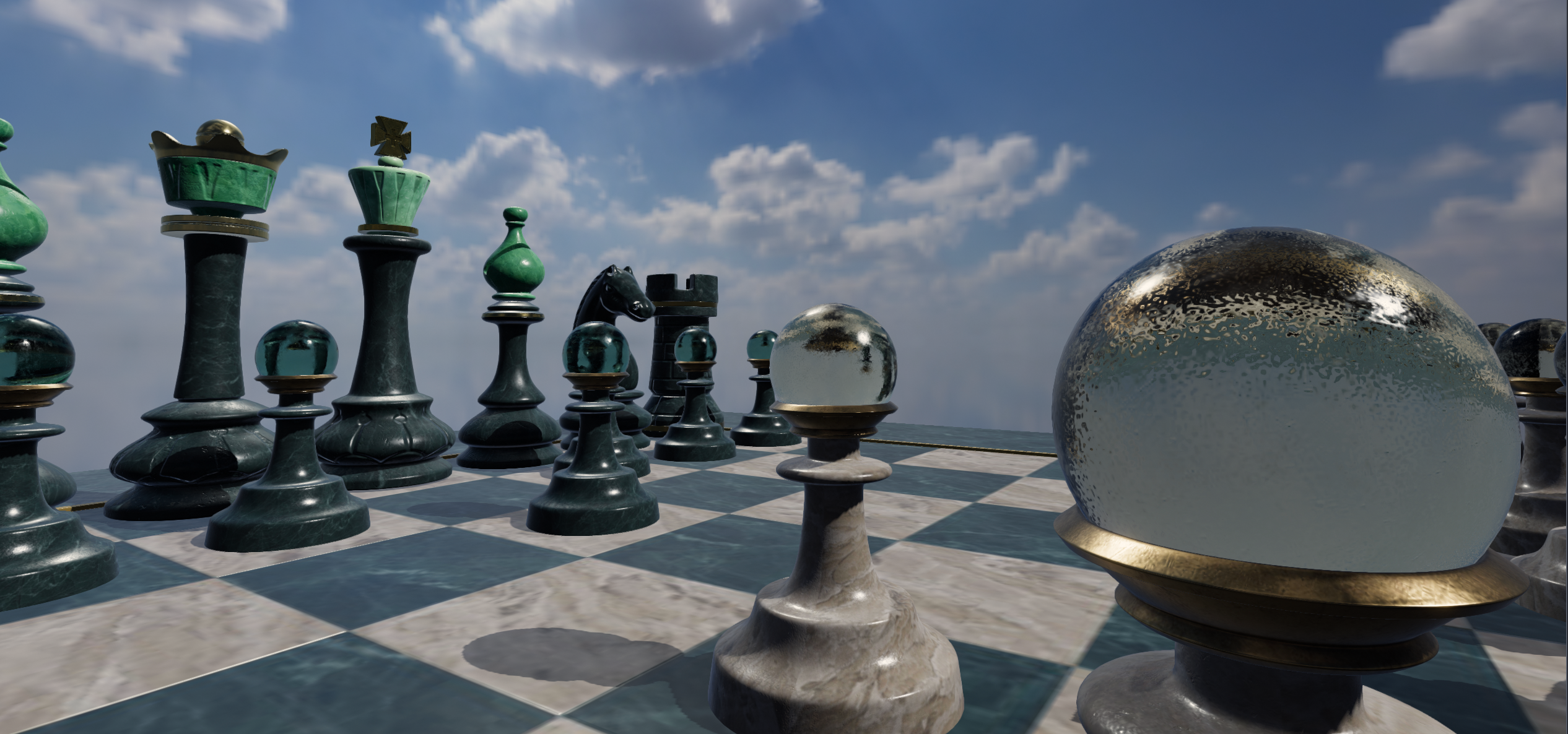
Inspecting 3D objects (incl. gltf) with a 28-line C# scriptThe ScriptIf you have .NET 10+ installed you can view 3D object files on your hard drive with a 28-line C# script:Save that to a file (e.g. "view_3d_model.cs"), and then invoke it with a single argument (the path of the file you want to view). For this demonstration I've downloaded ABeautifulGame.glb from the Khronos sample assets repository and placed it alongside my C# script in the same folder: dotnet run view_3d_model.cs -- ABeautifulGame.glb
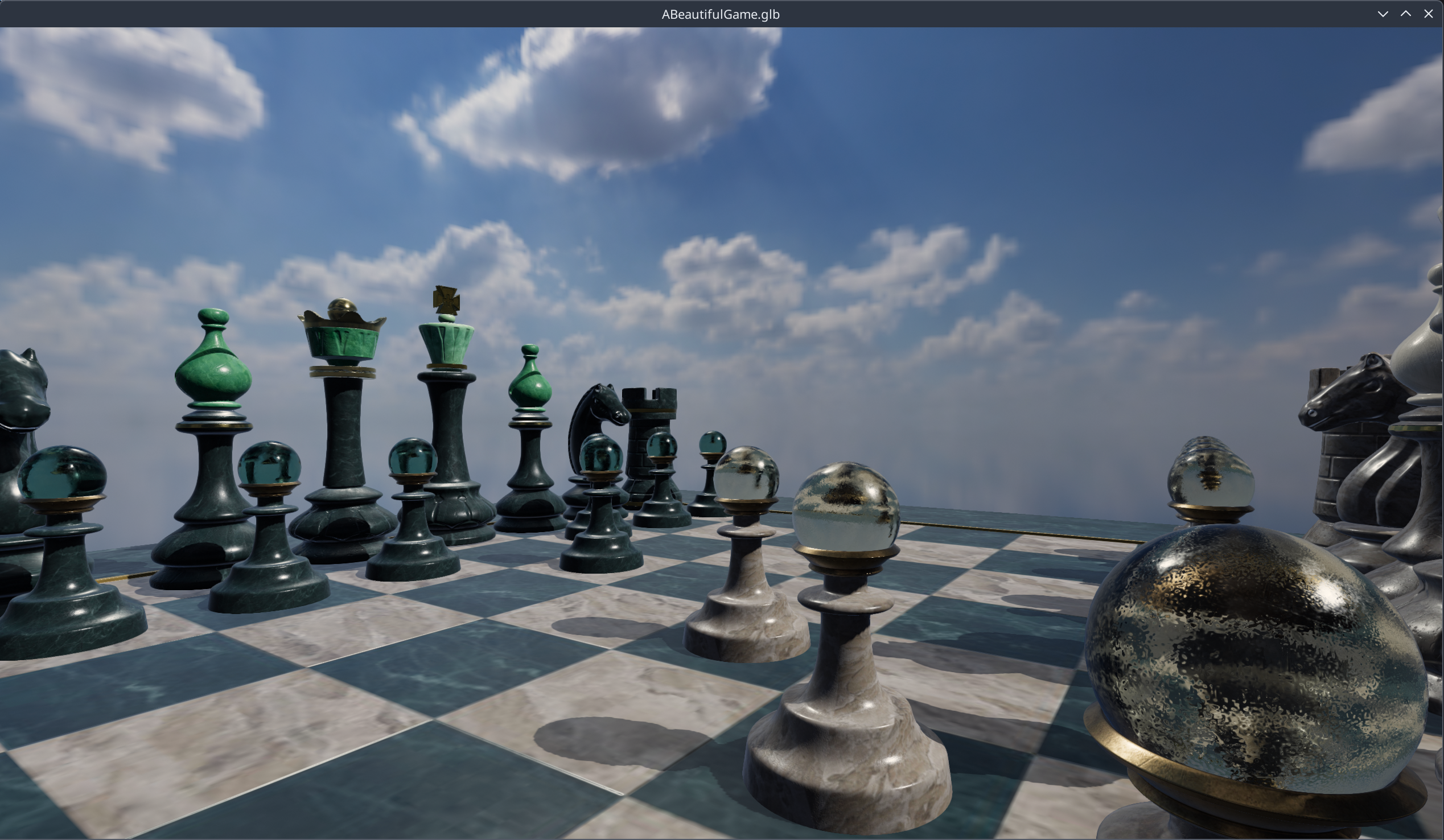 Move the mouse around to inspect the model. Mousewheel zooms in & out. click on the window to lock the cursor to the window (and click again to release). Escape key closes the window.
TinyFFRThis is made possible by my 3D rendering library, TinyFFR. Everything in the script is explained in the tutorials on that documentation site (Hello Cube, Loading Assets, Handling Input).The library is cross-platform (Windows, MacOS/ARM, Linux/Wayland), delivered via NuGet, and has integrations for WPF, WinForms, and Avalonia. On my machine (3080Ti, 5950X, Linux/KDE/Plasma/Wayland) it generates between 500FPS and 1000FPS at native 4K (with vsync disabled) depending on the polygon count and materials of the model loaded ("A Beautiful Game" is very high-poly). What TinyFFR can do nowAs of now (May 2026) the library is still in its pre-1.0 stage, but already supports:Standard PBR materials (albedo, normal, orm, absorption/transmission, reflectance, emissive, anisotropy, clearcoat)
Model + texture loading (most 3D formats supported, most 2D texture formats supported, including animations); HDRI/EXR backdrop loading
Integrations for WPF, Avalonia, and Windows Forms
Point, spot, directional dynamic lights (+ shadows)
Vertex skinning (e.g. animated meshes); including anim blending and even post-animation node transform readback
Building & controlling windows (on all three OSs); input support for keyboard, mouse, game controller
Render-to-target & render-to-file, no window or desktop even required
A fairly complete math API (AABB, OBB, spheres, planes, cuboids, lines, rays, bounded rays, transforms, angles, rotations, etc)
Camera controllers (first person, follow/chase, free-fly, inspector, orbital, PTZ, preprogrammed); orthographic & perspective cameras; pixel-picking (camera ray casting)
Rudimentary material effects (pan/rot/scale & blending)
TinyFFR is free and is designed meticulously around zero GC pauses-- all memory is cached, pooled, or natively allocated. The library has just under 1K unit tests, replete with over 10K individual assertions. The next version (v0.9) will add support for primitive rendering (e.g. "a sphere", "a line" etc) and in-world text rendering. The library is already pretty fast but v0.10 will focus on performance + benchmarking. Post-1.0 I'm looking to add things such as rudimentary particle & effect support, better integration capability for 2D/UI libraries (such as imgui and Noesis), and more. How TinyFFR is BuiltOver the next few months I'll probably write more blog posts here going over various aspects of the library in more detail so stay tuned, but here's a brief 10-mile-high overview of the library and the work I've put in to get it to this point:Native DependenciesWhen I made Escape Lizards I wrote its deferred tiled rendering engine completely from scratch with DirectX 11. Subsequently when I started work on TinyFFR I had originally intended to write a modern froxelized PBR renderer from scratch also, but when researching the state of the ecosystem I came across a few potential options to use a "starting point". I evaluated a few of them but most fell short of what I wanted until I came across Google Filament. Filament is nice in that it essentially abstracts the rendering API for you (e.g. Vulkan/OpenGL/Metal etc) and supplies a well-optimised PBR engine and shader DSL.Consequently, TinyFFR uses a modified fork of Filament as its PBR rendering "backend". Filament is amazing and probably saved me 6 to 12 months of outlay work, but of course, there's no such thing as a free lunch; it does not supply actual material shaders and it targets mobile devices by default. Therefore I've modified a local fork of the library to better target desktop environments (including better synchronization with the swapchain pipeline, especially mailbox presentation mode), and I'm bundling just under 800 precompiled shaders to enable different materials inside the engine quickly and without shader compilation stutter (the documentation for Filament is also fairly sparse- but I can't complain that much about a pretty excellent FOSS library). The heavy lifting of the asset loading is done by two more native dependencies; Assimp and stb_image. Finally, windowing and input handling is abstracted via the well-known SDL library. I may go in to this in more detail in a future blog post, but getting all native dependencies to build on all three target operating systems and be bundled inside the resultant NuGet package was quite tricky. Managed LandOn top of these native dependencies I've put a lot of work in to providing a unified and zero-GC API that feels fully "C#". TinyFFR targets .NET 9 or higher and uses modern language features: Ref-structs/spans, generic math interfaces, allocation-free formatting/parsing, vectorized numeric types, static abstract interface members, function pointers, etc.; all using standard C# conventions.The math API attempts to abstract 3D/linear algebra for a general audience; e.g. instead of "Quaternion Slerp" we have Rotation.Interpolate, instead of "Normalized Vector" we have Direction, instead of using "Absolute Dot Product" we can just use a.IsOrthogonalTo(b): If you don't want to learn what a projection matrix is, you don't have to. The whole API is built with floating-point tolerance in-mind, using sensible epsilons for comparison operations and clamping or renormalizing when it makes sense to help avoid pesky NaN or Inf propagation. Every math primitive implements a smörgåsbord of arithmetic and geometric traits ensuring consistent naming throughout and enabling metaprogramming. The API has also been designed at great pain to provide an ergonomic, C#-like experience without sacrificing performance. Resource types are exposed as opaque struct-based tokens meaning no GC pressure; actual data is stored in custom array-pool-backed collections and byte buffer pools. Pseudo-collections are exposed using struct-based enumerators that still support LINQ for those who want it. The input system exposes deadzone-aware analog stick and trigger helpers, unifies mouse + keyboard input, and attempts to make it simple to differentiate between a key/button being held down or depressed on the latest frame. It also provides conveniences for extracting numeric or alphabetic semantics from key events. There are algorithms built-in for interpolation (including lerp, ease-in, ease-out, smoothstep, smootherstep, and cubic bezier functions). The asset pipeline provides a lot of controls for setting up an ingest pipeline, including: Combining, flipping, swizzling, and inverting textures/texture channels
Auto-calculation of model bounding boxes + provision for amalgamating multiple boxes
Mesh import auto-optimisation, triangle flipping, texture coord inversion, linear rescaling, and origin transforms
sRGB + mipmapping support
Conversion between OGL/DX normal map formats
Programmatic generation of different PBR map types
Animation import, discovery, playback, blending, looping, ping-pong; node transform readback
Helpers for creating properly-formed meshes (incl. normal/tangent frames and UV coords) from point-based polygon definitons or shape definitions
Support?If you like what you've seen here and you'd like to support me; even as little as giving a star to the TinyFFR Github repository would be greatly appreciated! I'll be continuing to work on TinyFFR for years to come yet either way.If you want, you can talk to me on Bluesky: Xenoprimate/TinyFFR.dev. You can also leave a comment at the bottom of this post, or raise issues on the Github repository. Let me know if there's a killer feature you'd love to see added to the library; I'm always looking for user feedback! Bonus: You can also listen to this recent episode of The Modern .NET Show where I discussed the philosophy behind TinyFFR with Jamie Taylor: From Zero to 3D. Read Next: Complete C# Quick Reference - C# 12 |